
Integration
To start integrate with The Webview component you can use your client secret as the URL parameter in example below :
Note: Webview URLs will vary based on your service. Contact admin@wepay.to for your specific webview URL.
URL
https://webview-dev.wepay.to?clientSecret=xxxxxxxxxxxxxxxxxxxxxxxxxxxxxxxxxxxxxxxxxxxxxxxxxxxxxxxxxxxxxxxx
It will navigate to the current page as shown below
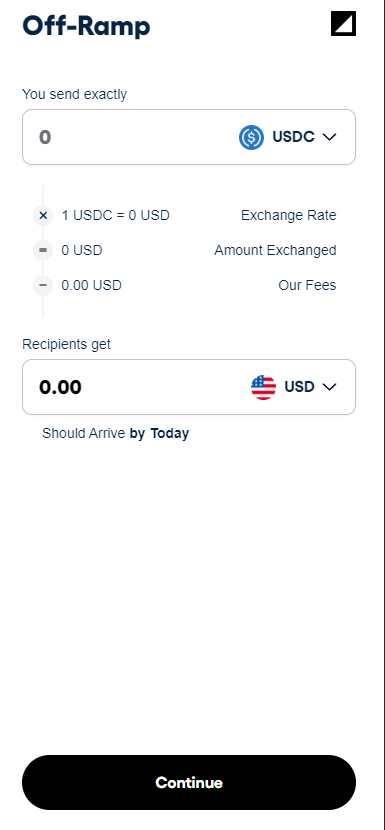
You can also use Wallet Connect integration on the fly using : useWalletConnect parameter
URL
https://webview-dev.wepay.to?clientSecret=xxxxxxxxxxxxxxxxxxxxxxx&useWalletConnect=true
So the Wallet Connect button will shown instead of "Continue" button also shows users balance at the top of the button which require users to connect their wallet before proceed further
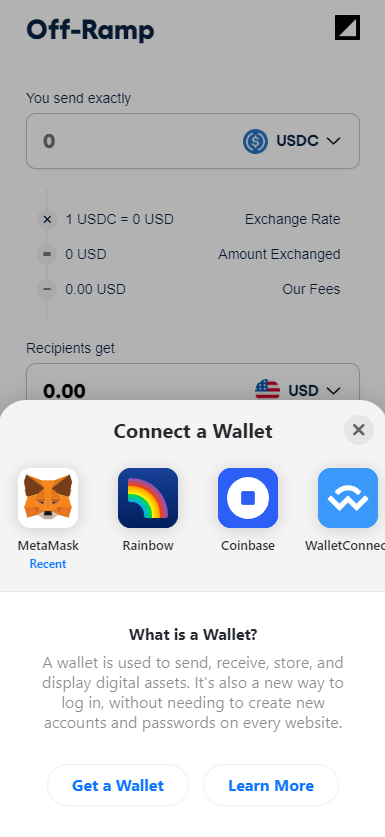
These are other parameter that you can use to.
Optional Parameters
If you manage to navigate to the webview page, then you are ready to serve your users using WePay!.